
Table of Contents
Professional artwork preparation ensures print quality, color accuracy, production efficiency, and cost optimization through correct file formats, appropriate resolution, accurate color specification, and proper bleed allowances. Strategic artwork preparation prevents reprinting costs, eliminates production delays, maintains brand consistency, and delivers exceptional finished signage through meticulous attention to technical specifications.
This comprehensive guide explores artwork preparation for signage printing, covering file format requirements, resolution standards, color management, typography considerations, bleed and trim specifications, vector vs. raster guidance, and preflight checking that enable designers and businesses to submit print-ready files ensuring optimal production outcomes.

Why Proper Artwork Preparation Matters
Print Quality Assurance
Technical Precision: Correct preparation determines visual results:
Quality Factors:
- Resolution adequacy (sharpness, detail clarity)
- Color accuracy (brand consistency, expectation matching)
- Typography integrity (readability, professional appearance)
- Image quality (no pixelation, compression artifacts)
- Output size accuracy (correct dimensions, scaling)
Common Quality Issues from Poor Artwork:
- Pixelated images (low resolution, digital enlargement)
- Color shifts (RGB to CMYK conversion, profile mismatch)
- Missing fonts (substitution, layout breaking)
- Incorrect sizing (scaling distortion, proportion errors)
- Missing bleed (white edges, trim inconsistencies)
Reprinting Costs: Poor artwork causes expensive rework:
- Banner Printing reprint: £150-£400
- Large format banner: £200-£800
- Vehicle graphics: £500-£2,000
- Business signs installations: £1,000-£10,000+
Production Efficiency
Workflow Optimization: Print-ready files streamline manufacturing:
Efficiency Benefits:
- Immediate production (no artwork queries, delays)
- Predictable timelines (no revision cycles)
- Reduced communication (clear specifications)
- Lower costs (no designer rework, file correction)
- Faster delivery (streamlined process)
Timeline Comparison:
- Print-ready artwork: 3-5 days production
- Poor artwork: 7-14 days (queries, corrections, approvals)
- Delay cost: Lost marketing opportunity, event deadlines missed
Cost Management
Budget Protection: Correct preparation prevents waste:
Cost Avoidance:
- Rejected prints (specification errors)
- Reprinting charges (quality issues)
- Rush fees (deadline recovery)
- Designer rework (file correction time)
- Material waste (incorrect production)
Professional Investment: Designer artwork preparation:
- One-time cost: £200-£1,000
- Prevents reprinting: £500-£5,000+
- ROI: 300-500% typical
File Format Requirements
Vector Formats (Preferred)
Scalable Graphics: Resolution-independent perfection:
PDF (Portable Document Format): Industry standard:
Specifications:
- PDF/X-1a or PDF/X-4 (print-optimized standards)
- Embedded fonts (no missing typeface issues)
- CMYK colors (print color space)
- Outlined text (font independence alternative)
- Bleed included (trim allowance)
- No transparency flattening issues
Advantages:
- Universal compatibility (all printers accept)
- Embedded everything (fonts, images, colors self-contained)
- Preview capability (client review easy)
- Print-ready (no conversion needed)
Adobe Illustrator (.AI, .EPS): Professional design standard:
Specifications:
- CS6 or newer (compatibility)
- Outlined fonts (eliminates font dependency)
- CMYK color mode (print-appropriate)
- Linked images embedded (complete file)
- Artboards sized correctly (output dimensions)
Advantages:
- Professional editing (full design capability)
- Vector precision (perfect scalability)
- Layer organization (production clarity)
CorelDRAW (.CDR): Alternative design software:
Specifications:
- Version 12 or newer (compatibility)
- Convert text to curves (font independence)
- CMYK colors (print mode)
- Export to PDF/X-1a (universal compatibility preferred)
Note: Many printers prefer PDF export from CorelDRAW for compatibility.
Raster Formats (When Appropriate)
Pixel-Based Graphics: Photography, complex imagery:
TIFF (.TIF): High-quality raster:
Specifications:
- CMYK color mode (print-ready)
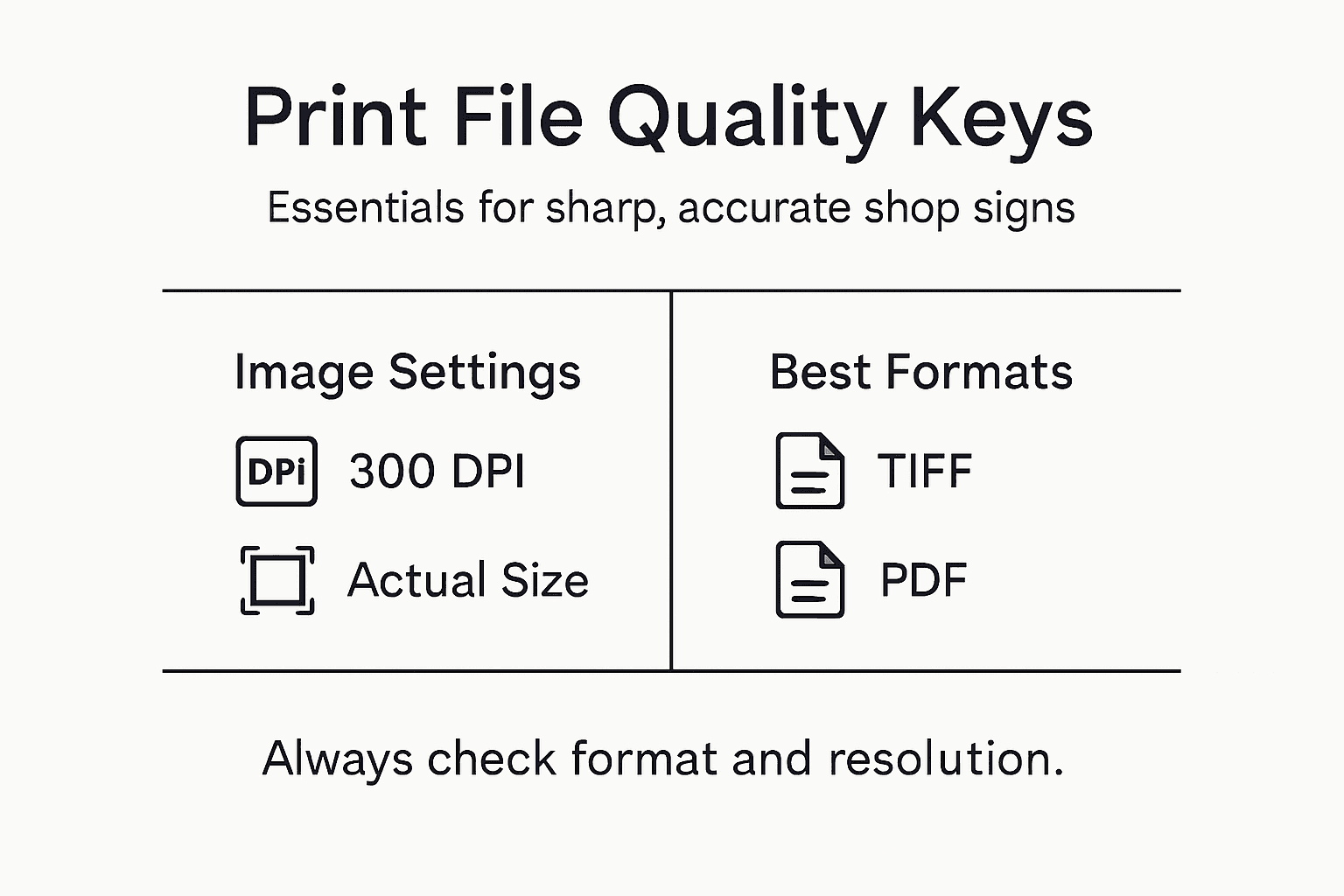
- 300 DPI minimum (at final size)
- Uncompressed or LZW compression (quality preservation)
- Embedded color profile (ICC profile: color accuracy)
- Layers flattened (production simplicity)
Advantages:
- Photographic quality (continuous tone)
- Professional standard (widely accepted)
- No compression artifacts (quality maintenance)
PSD (Photoshop Document): Professional raster editing:
Specifications:
- CMYK mode (print color space)
- 300 DPI (resolution standard)
- Flattened or with visible layers (production clarity)
- Embedded fonts if text (typography preservation)
Advantages:
- Full editing capability (layer access)
- Professional quality (sophisticated effects)
Formats to Avoid:
- JPEG (lossy compression, quality degradation, no transparency)
- PNG (RGB typically, web-oriented, not print-optimized)
- GIF (limited colors, low quality, web format)
- BMP (inefficient, non-standard print)
Resolution Requirements
Understanding DPI/PPI
Dots Per Inch / Pixels Per Inch: Resolution determines sharpness:
Concept:
- DPI: Printer output dots (physical printing)
- PPI: Image pixels (digital file)
- Higher numbers: More detail, larger files
- Viewing distance affects requirements
Resolution by Viewing Distance
Close Viewing (0.5-2m): Maximum detail required:
Applications:
- Vinyl printing (A3-A0: viewed arm’s length)
- Indoor wall graphics (close inspection)
- Counter displays (detailed viewing)
- Menu boards (reading distance)
Resolution: 300 DPI minimum at final size
Medium Viewing (2-5m): Moderate detail sufficient:
Applications:
- Architectural Signs (street-level viewing)
- Indoor directional signs (corridor viewing)
- Reception features (lobby distance)
Resolution: 150-200 DPI at final size
Distance Viewing (5m+): Lower resolution acceptable:
Applications:
- Building Signs (viewed from across street)
- Billboard graphics (highway viewing)
- Large banners (elevated mounting)
- Event signage (arena, festival distance)
Resolution: 75-150 DPI at final size
- 5-10m: 150 DPI
- 10-20m: 100 DPI
- 20m+: 75 DPI
Very Large Format (10m+ width): Very low resolution acceptable:
- Building wraps: 50-100 DPI
- Stadium graphics: 30-75 DPI
Calculating File Size
Formula: File Size = (Width in inches × DPI) × (Height in inches × DPI) × Color Depth
Example:
- Sign size: 3m × 2m (118″ × 79″)
- Viewing distance: 10m (requires 100 DPI)
- Calculation: (118 × 100) × (79 × 100) = 93 million pixels
- CMYK file: ~370 MB
Oversized Files: Unnecessarily high resolution wastes:
- Storage space (large file management)
- Transfer time (upload/download delays)
- Processing power (RIP software strain)
- No quality benefit (beyond viewing requirements)
Color Management
CMYK vs. RGB
Color Models: Print vs. screen color:
CMYK (Cyan, Magenta, Yellow, Black): Print color space:
Characteristics:
- Subtractive color (ink absorption)
- Smaller gamut (fewer colors than RGB)
- Print-accurate (matches output)
- Industry standard (all commercial printing)
Requirement: All artwork MUST be CMYK for print
RGB (Red, Green, Blue): Screen color space:
Characteristics:
- Additive color (light emission)
- Larger gamut (vibrant colors, screens)
- Screen-accurate (monitors, digital)
- Unsuitable for print (color shifts when converted)
Problem: Vibrant RGB colors (bright greens, blues, oranges) cannot be reproduced in CMYK, resulting in duller printed output
Conversion:
- Convert RGB to CMYK in design software BEFORE submitting
- Review color shifts (adjust if necessary)
- Client approval on CMYK proof (expectation management)
Pantone Spot Colors
Brand Color Accuracy: Precise color matching:
When to Use:
- Brand-critical colors (logo colors, signature palette)
- Specific color requirements (exact matching essential)
- Limited color designs (1-2 colors, spot color economical)
Specification:
- Pantone Matching System (PMS) numbers (universal standard)
- Coated vs. Uncoated (substrate finish affects appearance)
- Example: Pantone 2945 C (specific blue, coated stock)
Pantone to CMYK:
- Conversion necessary for digital/large format printing
- Some Pantone colors cannot be perfectly matched in CMYK
- Expect slight variation (acceptable tolerance discussion)
Color Books: Physical Pantone swatch books show actual printed colors (digital screens unreliable for color accuracy)
Color Profiles
ICC Profiles: Device-specific color translation:
Common Profiles:
- Coated FOGRA39 (European coated stock standard)
- Uncoated FOGRA47 (European uncoated standard)
- US Web Coated (SWOP) v2 (American standard)
- ISO Coated v2 (international standard)
Embedding:
- Embed profile in artwork (color consistency)
- Printer uses profile (accurate color interpretation)
Proofing
Color Verification: Avoiding surprises:
Digital Proof:
- PDF proof (screen preview, layout checking)
- Color accuracy limited (screen variation)
- Free (approval convenience)
Physical Proof:
- Printed sample (actual output preview)
- Color-accurate (material + ink matching)
- Cost: £50-£300 (size, complexity dependent)
- Recommended: Large projects, critical color, expensive production
| File Format | Best Use Case | Advantages | Limitations |
|---|---|---|---|
| TIFF | Photo and image files | No compression loss, ideal quality | Large file size, limited editing after saving |
| Layouts with text/images | Preserves layout, widely compatible | Must embed fonts, flatten layers | |
| PSD | Editable master files | Maintains layers for changes | Not always print-ready, requires conversion |
| JPEG | Online previews only | Small file size, easy to share | Quality loss, not suitable for text or fine lines |
| AI/EPS | Vector logos and graphics | Infinite scalability, crisp lines | Requires vector software, beware of missing fonts |
Typography Considerations
Font Embedding vs. Outlining
Text Handling: Preventing font issues:
Embedded Fonts: Font files included in PDF:
Advantages:
- Editable text (future changes possible)
- Smaller file size (efficient)
- Search-able (PDF text search works)
Requirements:
- Font licensing (commercial use rights)
- Complete embedding (no subset limitations)
Outlined/Converted to Paths: Text converted to vector shapes:
Advantages:
- Font-independent (no missing font issues)
- Guaranteed appearance (exact rendering)
- Universal compatibility (any system opens correctly)
Disadvantages:
- Not editable (text changes require original file)
- Larger file size (more complex paths)
Recommendation: Outline fonts in final print file, keep editable version for future amendments
Minimum Font Sizes
Legibility Standards: Readability at distance:
General Guidelines:
- Close viewing (0.5-2m): 6-10pt minimum (fine print acceptable)
- Medium viewing (2-5m): 24-48pt minimum (signage standard)
- Distance viewing (5-10m): 100-200pt minimum (large format)
- Far distance (10m+): 300pt+ (billboard scale)
Calculation: Minimum letter height (mm) = Viewing distance (m) × 7-10mm
Example: 5m viewing distance = 35-50mm letter height minimum
Font Licensing
Commercial Use Rights: Legal compliance essential:
License Types:
- Desktop license (screen use, personal printing)
- Web license (website embedding)
- Commercial printing license (professional production, signage)
Common Issues:
- Free fonts (often personal use only, commercial restricted)
- Bundled fonts (license scope varies)
- Custom fonts (brand-specific, licensed separately)
Solution:
- Purchase commercial licenses (£20-£200 per font typical)
- Use licensed alternatives (similar appearance, properly licensed)
- Outline fonts (eliminates licensing transfer issues)
Bleed, Trim, and Safe Areas
Bleed Allowance
Trim Tolerance: Preventing white edges:
Concept:
- Print extends beyond final size (trim allowance)
- Cutting imperfection absorbed (no white edges)
- Standard bleed: 3-5mm beyond trim (each edge)
Example:
- Final size: 1000mm × 500mm
- Artwork size with bleed: 1006mm × 506mm (3mm bleed each side)
- Important elements: Keep 10mm inside trim (safe zone)
Application:
- Background colors/images (extend to bleed edge)
- Border graphics (continue beyond trim)
- No critical elements (in bleed zone, may be trimmed)
Trim Marks
Cutting Guides: Production accuracy:
Purpose:
- Indicate final size (cutting line)
- Alignment registration (color accuracy)
- Quality control (dimensional checking)
Specifications:
- Outside artwork area (not on design)
- All four corners (complete perimeter)
- Crop marks standard (short perpendicular lines)
Safe Area
Content Protection: Critical element placement:
Guidelines:
- Text: 10-15mm inside trim (readability assurance)
- Logos: 10mm minimum inside trim (protection)
- Important graphics: 10mm inside (preservation)
Rationale:
- Trim tolerance (±2-3mm cutting variation)
- Handling margin (installation clearance)
- Visual breathing (edge proximity aesthetics)
| Criteria | Correct Approach | Common Mistake | Impact on Final Sign |
|---|---|---|---|
| Resolution | 300 DPI or higher | Using 72/150 DPI | Blurred or pixelated text/images |
| Colour Mode | CMYK from the start | RGB files submitted | Unpredictable colour shift |
| Bleed & Trim | 3-5mm bleed, clear trim | No bleed included | White edges after trimming |
| Fonts | Outlined or embedded | Substitution errors | Wrong style or unreadable text |
Vector vs. Raster Guidance
When to Use Vector
Scalable Graphics: Resolution-independent:
Ideal Applications:
- Logos (infinite scaling, crisp edges)
- Text (perfect sharpness, any size)
- Icons and symbols (clean, simple graphics)
- Geometric shapes (precise, mathematical)
- Line art (illustrations, diagrams)
Advantages:
- Unlimited scaling (no quality loss)
- Small file size (efficient)
- Easy editing (adjustable, flexible)
- Print perfection (razor-sharp output)
Software:
- Adobe Illustrator (industry standard)
- CorelDRAW (alternative professional)
- Affinity Designer (emerging professional)
- Inkscape (free, open-source)
When to Use Raster
Pixel-Based Images: Photographic detail:
Ideal Applications:
- Photographs (realistic imagery, continuous tone)
- Complex gradients (smooth transitions)
- Photographic effects (filters, adjustments)
- Realistic textures (material surfaces)
Requirements:
- Correct resolution (DPI appropriate for size/viewing distance)
- CMYK color mode (print-ready)
- Uncompressed or minimal compression (quality preservation)
Software:
- Adobe Photoshop (industry standard)
- Affinity Photo (professional alternative)
- GIMP (free, open-source)
Preflight Checking
Final File Verification
Quality Assurance: Pre-submission checklist:
Essential Checks:
✓ File Format:
- PDF/X-1a, AI, or EPS (appropriate format)
- Print-optimized settings (correct export)
✓ Color Mode:
- CMYK throughout (no RGB elements)
- Embedded color profiles (ICC accuracy)
- Spot colors specified (Pantone numbers if applicable)
✓ Resolution:
- Sufficient DPI (viewing distance appropriate)
- No low-resolution warnings (quality adequate)
- No unnecessary oversizing (efficiency)
✓ Fonts:
- Embedded or outlined (no missing fonts)
- Correct font files (if embedded)
- Commercial licenses (legal compliance)
✓ Bleed and Trim:
- 3-5mm bleed (all edges)
- Trim marks present (cutting guides)
- Safe area observed (critical elements protected)
✓ Dimensions:
- Correct final size (matches specification)
- Accurate scaling (proportion maintained)
- Orientation correct (landscape/portrait)
✓ Images:
- Linked images embedded (complete file)
- No missing links (all content included)
- Appropriate compression (quality vs. size)
✓ Transparency:
- Flattened if possible (printing compatibility)
- No unexpected knockout issues (visual checking)
Preflight Software
Automated Checking: Professional tools:
Adobe Acrobat Pro:
- Built-in preflight (PDF analysis)
- Print production tools (file optimization)
- Error reporting (issue identification)
Printer-Specific Tools: Many printers offer online preflight:
- Upload file (automated checking)
- Instant report (issue identification)
- Correction guidance (fix recommendations)
File Delivery
Submission Methods
Transfer Options:
Email:
- Small files only (<10MB typically)
- Compressed ZIP (file size reduction)
- Consider: Email attachment limits
File Transfer Services: Large files (50MB-5GB):
- WeTransfer (free, easy, popular: 2GB limit free)
- Dropbox (cloud storage, sharing)
- Google Drive (cloud storage, collaboration)
- Client FTP (printer’s server, professional)
Physical Media: Large or legacy:
- USB drive (convenient, universal)
- External hard drive (very large projects)
- CD/DVD (increasingly obsolete)
File Naming
Clear Identification: Efficient workflow:
Best Practices:
- Descriptive name (content identification)
- Version number (iteration tracking)
- Date (production timing: YYMMDD format)
- Final indicator (approved for production)
Example: CompanyName_FasciaSig_v3_Final_250130.pdf
Avoid:
- Spaces (use underscores/hyphens)
- Special characters (compatibility issues)
- Generic names (untitled, final, new)
Common Mistakes to Avoid
Frequent Errors
Quality Issues:
❌ Low Resolution:
- Consequence: Pixelated, blurry print
- Solution: 300 DPI close viewing, distance-appropriate for large format
❌ RGB Color Mode:
- Consequence: Color shifts, dull output
- Solution: Convert to CMYK before submission
❌ Missing Bleed:
- Consequence: White edges, trim inconsistencies
- Solution: Extend 3-5mm beyond trim, safe area for critical elements
❌ Missing Fonts:
- Consequence: Font substitution, layout breaking
- Solution: Outline fonts or embed completely
❌ Incorrect Sizing:
- Consequence: Scaling distortion, wrong output size
- Solution: Design at actual size or proportional scale, verify dimensions
❌ Low-Quality Source Images:
- Consequence: Pixelation despite correct DPI
- Solution: Use high-resolution source photography, avoid upscaling
❌ Transparency Issues:
- Consequence: Unexpected knockouts, color shifts
- Solution: Flatten transparency, check print preview
Conclusion
Professional artwork preparation for signage printing ensures exceptional quality, production efficiency, and cost optimization through meticulous attention to file formats, resolution standards, color management, typography specifications, and bleed allowances. From Poster Printing through Illuminated Signs, correct artwork preparation prevents expensive reprinting while delivering optimal visual results that maintain brand integrity and exceed quality expectations.
Success requires understanding technical print requirements, using appropriate software tools, following industry standards, conducting thorough preflight checking, and maintaining clear communication with production teams. Whether preparing artwork internally or engaging professional designers, commitment to print-ready specifications transforms creative concepts into exceptional physical signage that delivers sustained marketing impact.
For businesses seeking optimal signage production outcomes, partnering with experienced providers ensures access to artwork guidance, technical support, preflight assistance, and quality assurance processes that streamline production while protecting investment through first-time-right printing excellence.
Recommended
- What Makes A Great Shop Sign – PromoSigns.co.uk
- How to Design Shop Signs: Expert Tips for 2025 – PromoSigns.co.uk
- 5 Shop Signs Design Myths You Should Not Believe – Promo Signs
- Shop Signage Basics 2025: Essential Tips for London Businesses – PromoSigns.co.uk
